
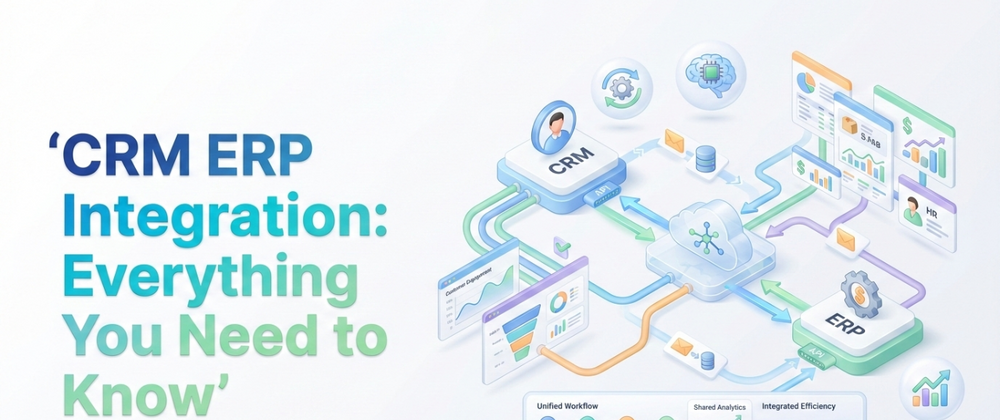

In the modern digital ecosystem, your business runs on two engines. Your CRM (Customer Relationship Management) drives sales and customer engagement, while your ERP (Enterprise Resource Planning) powers operations, finance, and supply chain.
For years, these systems lived in silos. Sales reps closed deals in Salesforce, and finance managers manually re-typed those orders into NetSuite or SAP. But now, that gap is no longer just an inconvenience, it’s a liability.
This guide explores the technical strategies, business cases, and developer requirements for successful integration.
ERP vs. CRM Systems: The "Overlap Zone"
To integrate effectively, you must first understand where these systems differ and where they collide. The confusion often stems from the fact that modern platforms try to do it all.
The Core Difference
- CRM (Front Office): Focuses on revenue generation. It tracks leads, opportunities, and customer communication.
- Key Data: Sentiment analysis, email logs, deal stages.
- Users: Sales Reps, Marketing Managers.
- ERP (Back Office): Focuses on revenue management. It tracks inventory, general ledger entries, and shipping logistics.
- Key Data: SKU counts, tax codes, credit limits.
- Users: Accountants, Warehouse Managers.
The Conflict: Who Owns the "Order"?
The biggest technical hurdle in integration is the Sales Order.
- In CRM: An order is often a simple list of products to calculate a commission or quote. It might lack shipping weights or tax jurisdictions.
- In ERP: An order is a legal financial document. It requires precise "Unit of Measure" (UoM) codes, inventory allocation, and verified billing addresses.
Integration Failure Example: A sales rep enters a "Pack of 12" in the CRM. The ERP rejects the order because it only recognizes "Case" or "Unit," not "Pack." This is a classic schema mismatch that automation must solve.
3 Ways to Integrate (And When to Use Them)
1. Point-to-Point (Native Connectors)
Many platforms now offer pre-built connectors (e.g., "Salesforce for NetSuite").
- Pros: Fast setup, low cost.
- Cons: Inflexible. If you have custom fields or unique business logic (e.g., "Only sync orders over $5k"), these connectors often break.
2. iPaaS (Middleware)
Tools like MuleSoft, Boomi, or Zapier act as a translator in the middle.
- Pros: Visual interface, scalable.
- Cons: Can become expensive as data volume grows; requires "Integration Architects" to manage.
3. Custom API Integration (The "Pro" Choice)
Building a custom bridge using REST or GraphQL APIs.
- Pros: Unlimited flexibility. You can build complex logic like "Check inventory in real-time before allowing the quote to be signed."
- Cons: Requires technical maintenance.
The Technical Reality: Why You Need a Backend Developer
Many businesses attempt to use "drag-and-drop" integration tools, only to hit a wall when complexity ramps up. This is where the decision to hire backend developer talent becomes a high-ROI investment.
Real integration isn't just mapping "Field A" to "Field B." It involves complex server-side logic that only a developer can handle.
Technical Task 1: Handling OAuth 2.0 & Security
You cannot simply "login" to an ERP script. A backend developer must implement OAuth 2.0 (Authorization Code Flow) to securely exchange tokens between your CRM and ERP without exposing passwords. They ensure that your API keys are rotated and stored in secure environment variables, not hard-coded in the app.
Technical Task 2: Rate Limiting & Queues
What happens on Black Friday when you receive 5,000 orders in an hour?
- Without a Developer: Your API hits the ERP's rate limit (e.g., 100 requests/minute). The integration crashes. Orders 101–5,000 are lost.
- With a Developer: They build a "Message Queue" (using RabbitMQ or AWS SQS). The system accepts all 5,000 orders instantly, holds them in a buffer, and feeds them to the ERP at a safe speed (99/minute) to ensure zero data loss.
Technical Task 3: Data Transformation Logic
Data never matches perfectly. A backend developer writes the "Middleware Logic" to translate languages:
- CRM says:
Country: "USA" - ERP requires:
ISO_Code: "US-840" - The Code: A Python or Node.js script that automatically standardizes this data before it hits the database, preventing "Invalid Format" errors.
The Cost of Getting It Wrong
Failing to invest in proper integration has measurable costs.
- $12.9 Million: The average annual loss for enterprises due to poor data quality (Gartner, 2024).
- Customer Churn: When a rep promises stock that the ERP shows is empty, you lose trust.
- Data Silos: Finance reports don't match Sales reports, leading to flawed executive decision-making.
Conclusion: Build or Buy?
If your workflows are standard, use a pre-built connector. But if your business relies on speed, custom data objects, or high-volume transaction processing, you cannot rely on out-of-the-box tools alone.




Top comments (0)